Cabinet shop software or spreadsheets: what a small shop actually needs
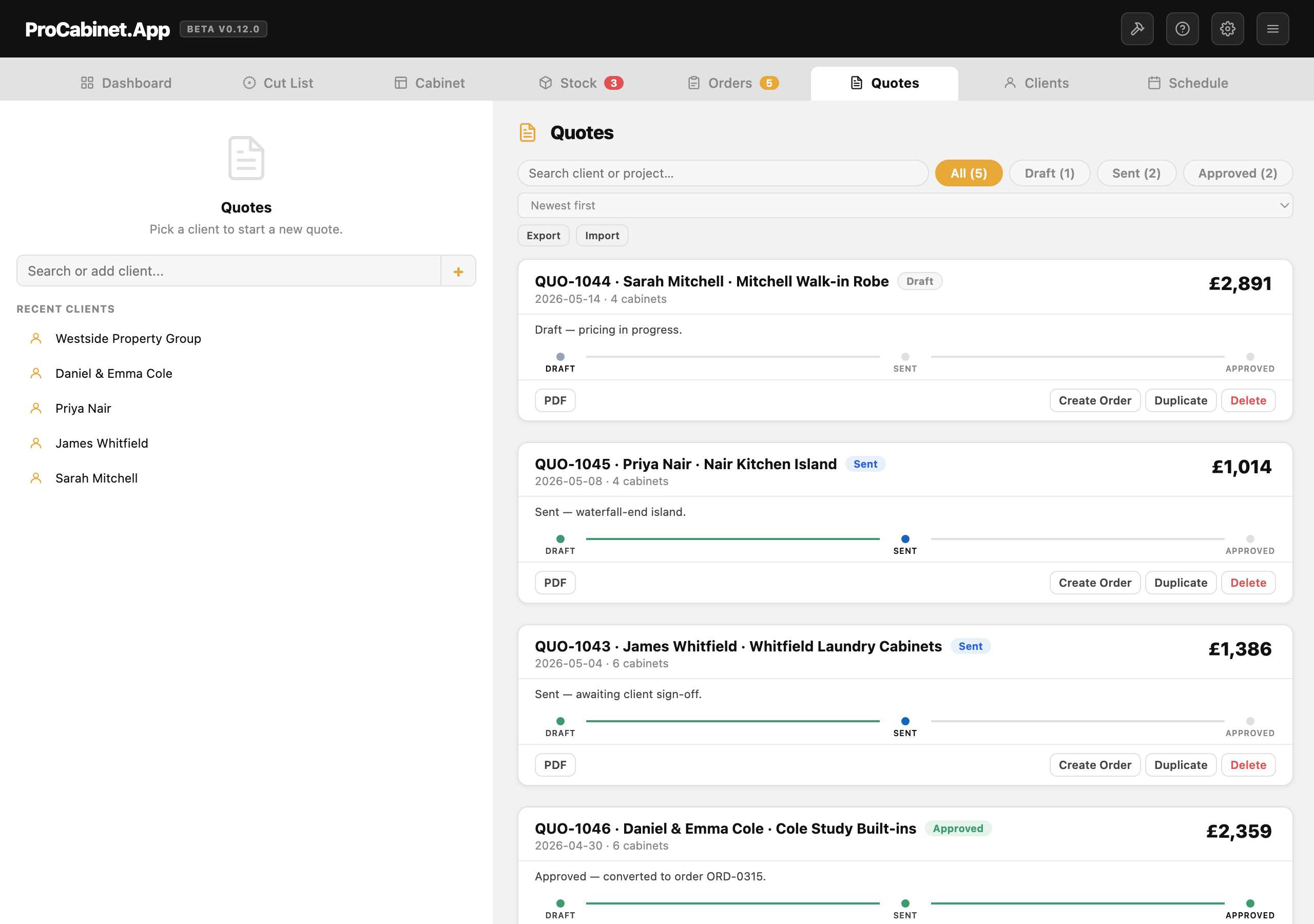
Spreadsheets are genuinely enough to run a small cabinet shop until one of two things happens: you quote more than two or three jobs a week, or someone other than you needs to price work. Past that line, dedicated software earns its keep. Before it, save your money and keep your spreadsheet tidy.
What do spreadsheets do well in a cabinet shop?
I ran my own cabinetry workshop for over 10 years, and for most of that time the business lived in spreadsheets: a pricing sheet, a cut list, a job tracker, a tab of supplier prices. They are free, completely flexible, and match exactly how you price, with your own formulas for materials, labour and markup. No software company decided your workflow for you.
A well-built quoting sheet is a real system, not a stopgap. Mine pulled material costs from a lookup table, held labour hours by cabinet type, and priced kitchens for years, more accurately than my gut ever did. I wrote the method up in how to price cabinet jobs, and every part of it can be done in Excel. Spreadsheets also work offline, never have an outage, and will still open in twenty years.
Where do spreadsheets break down?
Four places, in my experience, and together the reason my Sunday evenings kept disappearing.
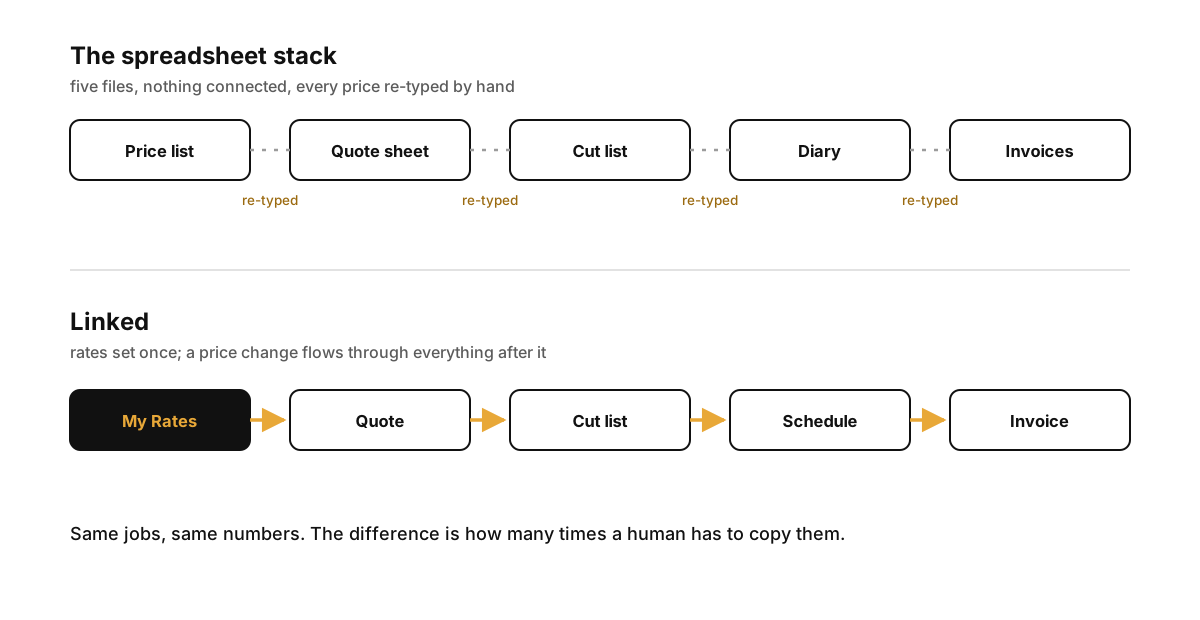
Re-pricing when rates change. Sheet material goes up 12% and every template and open quote is still priced on the old number. You update them all by hand or quietly absorb the increase, and absorbing it is exactly how I underpriced my work for years.
Cut lists disconnected from quotes. The quote lives in one file, the cut list in another, and the link between them is you retyping panel sizes. Change a base unit from 600 wide to 800 at quote stage and the cut list does not know. The mistake surfaces at the saw, in material you have already paid for.
Version chaos. kitchen-quote-v3-FINAL-REVISED.xlsx. Which version did the customer actually agree to? A folder of save-as copies will not answer that when a job goes sideways.
Nothing is linked. Client details retyped onto every document, deposits tracked in your head, a schedule only you can read. You are the only thing holding it together, which works until you are ill, on holiday, or simply busy.
Task by task, the difference is not clever features. It is the same information entered once and reused, instead of entered five times and reconciled by you at nine o'clock at night.
| Task | Spreadsheet | Dedicated tool |
|---|---|---|
| Price a standard cabinet | Copy an old quote, rework the formulas | Pick it from your library, priced from saved rates |
| Update your labour rate | Edit every template and open quote by hand | Change it once, new quotes use the new rate |
| Produce a cut list | Retype every panel into a second sheet | Generated from the same cabinet data as the quote |
| Nest parts on a sheet | Graph paper and guesswork | Nested layout with grain direction and kerf allowed for |
| Revise a quote | Save-as, new filename, hope | One record with one history |
| Customer approval | Print, email, chase by phone | One link where the customer approves and pays a deposit |
| Invoice | Retype the totals into your accounts package | Push the invoice to QuickBooks or Xero in one click |
What features does a small cabinet shop actually need?
Four things. Be suspicious of anything much longer than this list.
Quoting that prices itself from your rates. Set your labour rate, markup and material costs once; every quote after that uses them, and when a rate changes you change it in one place. This is the single biggest time saver, because quoting is the job you do most often that earns nothing until it converts.
Cut lists that come from the quote. Panels generated from the same cabinet data the customer approved, not retyped, ideally nested with grain direction and blade kerf accounted for. I compared the options in best cut list software.
A schedule you can see. Not project management with swim lanes and dependencies. Just which jobs are in the workshop, which wait on materials, and what is promised for when.
Invoicing and deposits without retyping. The approved quote becomes the invoice, and the customer pays a deposit by card without you chasing. Card payments have a real cost, broken down honestly on the payment fees page, but chasing cheques has a cost too. Mine was about two phone calls per job.
Equally, a small shop does not need lead scoring, drip email campaigns, multi-site inventory, admin seats for a team of two, or a 3D rendering suite bolted on when you already design in something you like. Those features show up in the price and the menus whether you use them or not. A tool aimed at a five-person shop should feel small.
That is what I built ProCabinet to be. The client goes in once, prices come from My Rates, the cut list is generated and nested from the same cabinets the customer approved, and the customer signs off and pays the deposit through one live link in their browser. What is in each tab is on the features section. One honest caveat: entering your rates, materials and standard cabinets took me the better part of an afternoon before it could price anything. If you quote once a month, that payback is marginal. If you quote every week, it is not close.
Common questions
What does cabinet software cost?
For ProCabinet: the free plan is $0 forever with no card needed, and every account starts with a 14-day Pro trial. Pro is $25 a month at launch pricing for the first six months, then $35 a month, or $180 for the first year on annual, then $299 a year. There is also a one-off $299 founder seat with lifetime access, limited to 50 ever sold. Current details are on the pricing section. Other tools range from similar money to thousands per seat, so compare against the four features above rather than the longest feature list.
Can I keep using Excel alongside it?
Yes, and I still do. Spreadsheets remain the best tool for one-off costing experiments and year-end analysis. The switch worth making is the quote, cut list, approval and invoice chain, because that is where retyping causes real errors. Quotes and cut lists export as PDFs, nested layouts as DXF, and invoices push to QuickBooks Online or Xero, so nothing gets trapped.
What's the cheapest way to start?
The free plan. It costs nothing, needs no card, and after the 14-day Pro trial keeps every core function with unlimited stock items and 5 saved items in each other library. That is enough to run a real quote alongside your spreadsheet and see which gets to a signed approval faster. If the spreadsheet wins for how you work, you have lost nothing.
Try ProCabinet free. Every account starts with 14 days of Pro — no card needed. Set your rates once, then quote, cut, schedule and bill from one place.
Start free